

Exhibition Booth Design for Lead Quality: How to Attract the Right Visitors (Not Just More Footfall)
Most exhibitors don’t have a “traffic problem”. They have a lead quality problem.
A busy booth can still produce:
- the wrong audience
- low-intent conversations
- badge scans that never convert
- a sales team that leaves the show exhausted (and disappointed)
The fix isn’t “more gimmicks”. It’s designing the booth to pre-qualify visitors before your team even speaks to them.
This article is a practical framework for exhibitors, event agencies, and stand builders to design for better leads—and how ExpoBooth.ai helps you visualise and iterate those decisions fast.
Start with the question most booths avoid
Before you touch layout or visuals, answer this:
Who do we want to politely repel?
If you can’t say it, your booth will default to “for everyone”, which usually means “for no one”.
Examples:
- Enterprise SaaS: repel students, job seekers, tiny-budget buyers
- Premium manufacturing: repel bargain hunters and “just browsing” DIYers
- Specialist services: repel anyone outside your target verticals
You’re not being rude—you’re protecting time.
1) Use “message gates” to self-qualify visitors
A message gate is a piece of copy or visual proof that makes the right people lean in and the wrong people keep walking.
Strong message gates include:
- industry specificity (“For exhibition stand builders and agencies”)
- role specificity (“For heads of design, pitch teams, and new business”)
- problem specificity (“Cut concept turnaround from 7–10 days to one hour”)
- proof specificity (numbers, outcomes, recognisable use cases)
If your headline could fit any company, you’ll attract any visitor.
2) Design the “first 3 seconds” for filtering, not hype
Most booths spend their 3-second window trying to be clever.
Instead, your 3-second view should answer:
- What is this?
- Who is it for?
- Why should I stop?
A simple hierarchy that works:
- Headline: category + audience
- Proof line: outcome + timeframe
- CTA: what to do next
Example:
- Headline: AI booth concepts for agencies & stand builders
- Proof: Decision-ready renders and walkthroughs in hours (not weeks)
- CTA: Book a demo / See examples
3) Build zones that match intent levels
Not every visitor is ready for a deep conversation. Your booth should let people choose the right depth.
A high-performing lead-quality layout often includes:
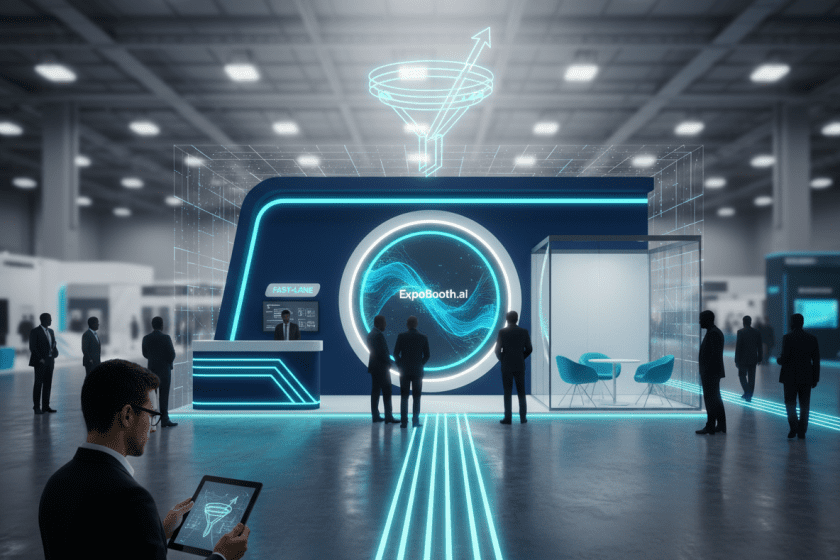
- Fast lane (30–60 seconds): quick pitch + scan + takeaway
- Demo lane (3–7 minutes): show the product / proof
- Meeting lane (10–20 minutes): qualified conversations
If everything happens in one open area, you’ll either:
- waste senior time on low-intent chats, or
- lose high-intent prospects because it feels too exposed.
4) Make your proof visible from the aisle
Lead quality improves when you show proof early.
Proof can be:
- before/after visuals
- short case outcomes
- a “how it works” loop
- a process map (simple, not corporate)
If the only proof is on a brochure, you’ll attract curiosity—not buyers.
5) Use interaction as a qualifier (not a toy)
Interactive elements are great—if they qualify.
Good qualifying interactions:
- “Pick your stand size” → shows relevant examples
- “Choose your industry” → filters case visuals
- “Select your deadline” → shows timeline and deliverables
Bad interactions:
- games with no connection to buying intent
- giveaways that attract everyone
6) Script your team for qualification speed
Design and staffing work together.
A simple 3-question qualifier:
- What show are you exhibiting at next?
- What’s your stand size / format?
- What’s the decision you need to make in the next 2 weeks?
If they can’t answer #3, route them to the fast lane.
7) Capture leads in a way that preserves context
“Badge scan only” is where good leads go to die.
Minimum viable context capture:
- role + company type
- show + stand size
- what they cared about (1–2 tags)
- next step + date
This is how sales follows up like a human, not a spreadsheet.
Where ExpoBooth.ai fits
ExpoBooth.ai helps teams improve lead quality by making the right booth decisions earlier—when they’re still cheap to change.
Teams use us to:
- rapidly generate multiple concept directions that reflect different audience strategies
- produce multi-angle renders and cinematic walkthrough visuals to validate message gates and zoning
- iterate layouts and messaging quickly (without waiting a week for studio capacity)
- keep outputs credible with human oversight so the concept is pitch-ready